Everything the plan needs, in one board
The homepage shows the highlights. Here is the fuller picture — planning, scheduling, readiness, commitments, analytics and the record behind them. Every plan includes all of it.
Plan on a wall everyone can read
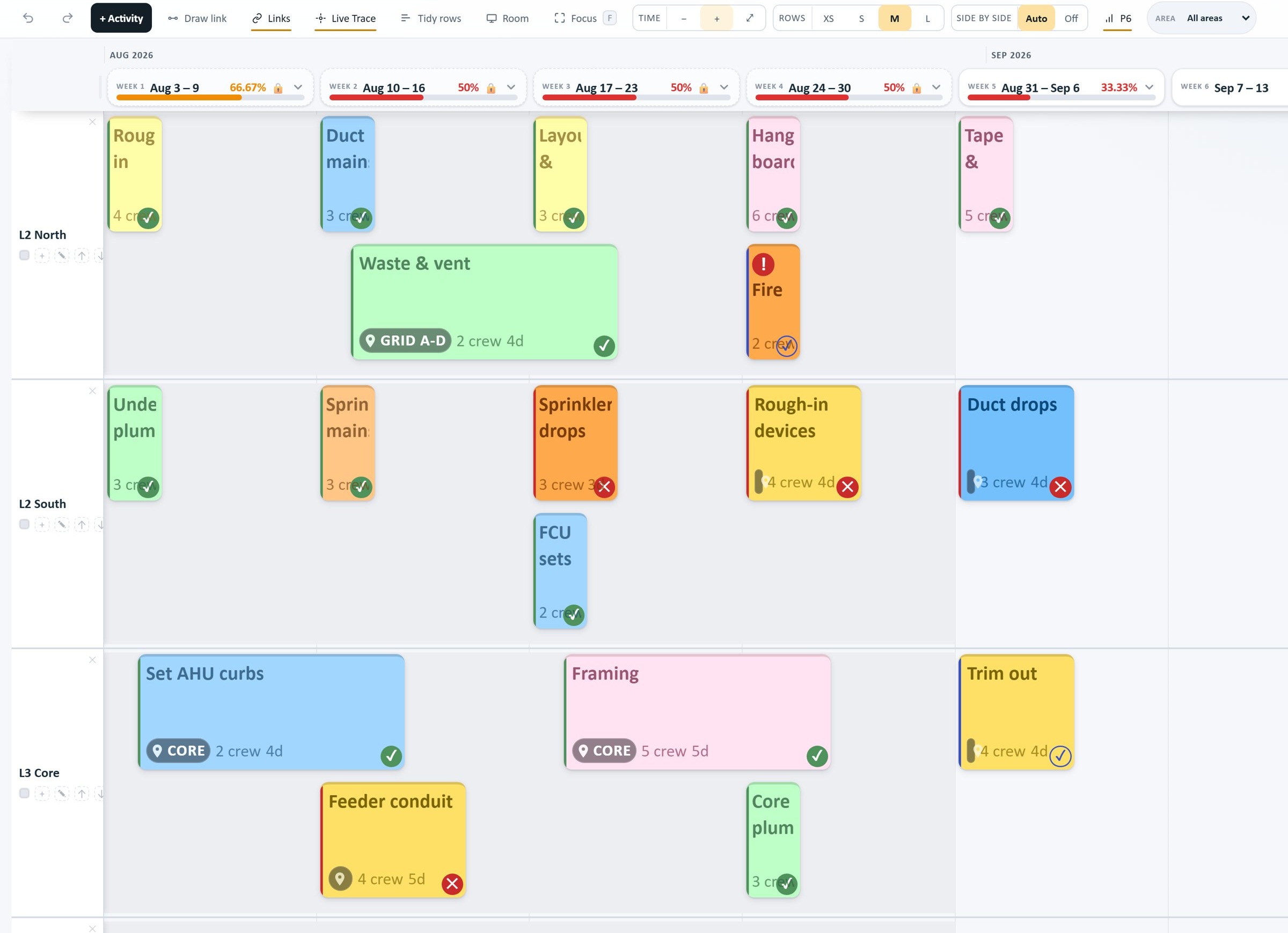
Activities are sticky cards on area rows across a timeline. Colour by trade, area or crew, and read the same plan by day or by week.
- Two ticket styles — filled cards, or ink with a coloured edge.
- Day and week views of one plan; history never changes with the view.
Illustrative demo project data.
Board and Gantt, one plan with real logic
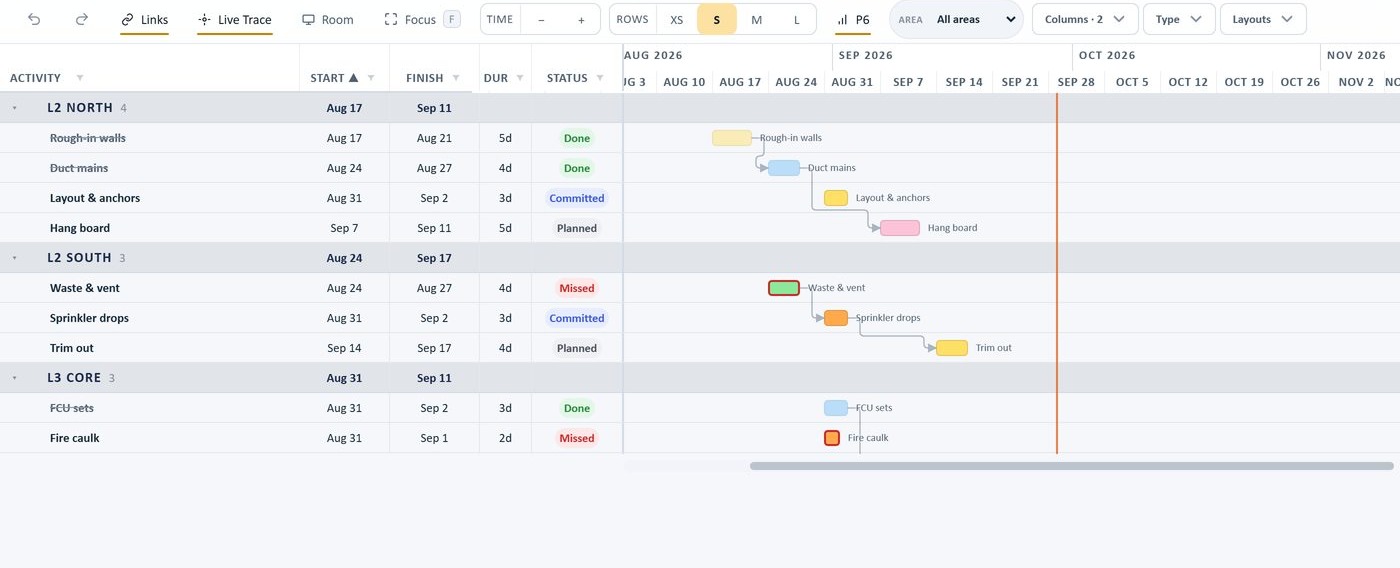
Drag to move, drag an edge to change a duration, draw a link to set a dependency. Successors shift immediately, on the board or in the Gantt.
- FS, SS, FF and SF relationships with lag, on a working calendar.
- The Gantt shows start, finish, duration and status; crew and predecessor columns can be added.
Illustrative demo project data.
Make work ready before you promise it
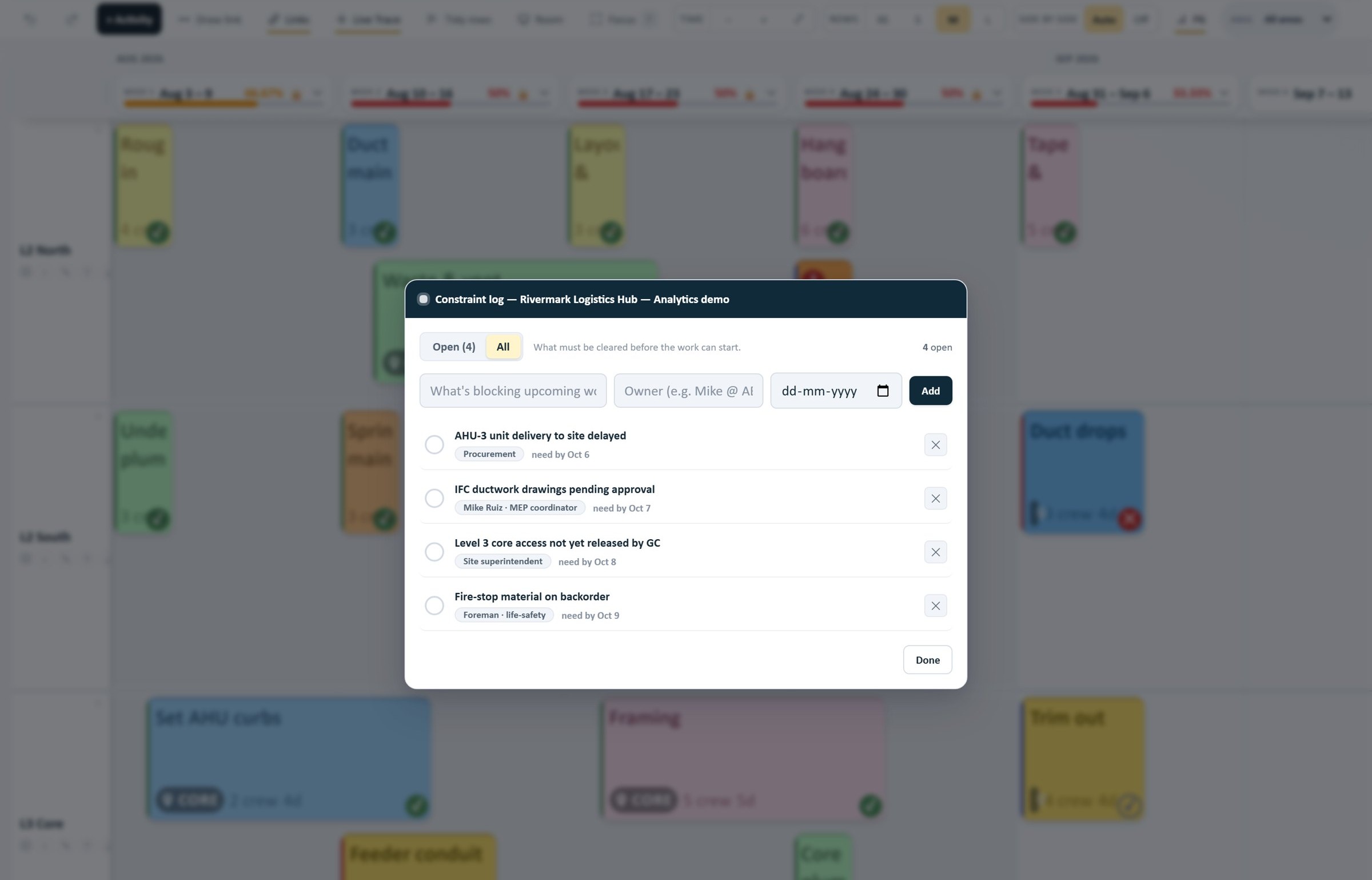
Every blocker is logged against the activity with an owner and a need-by date.
- Constraints carry an owner and a date, open or cleared.
- Readiness is visible before the pull session, not discovered in it.
Illustrative demo project data.
Commit the week, then close it
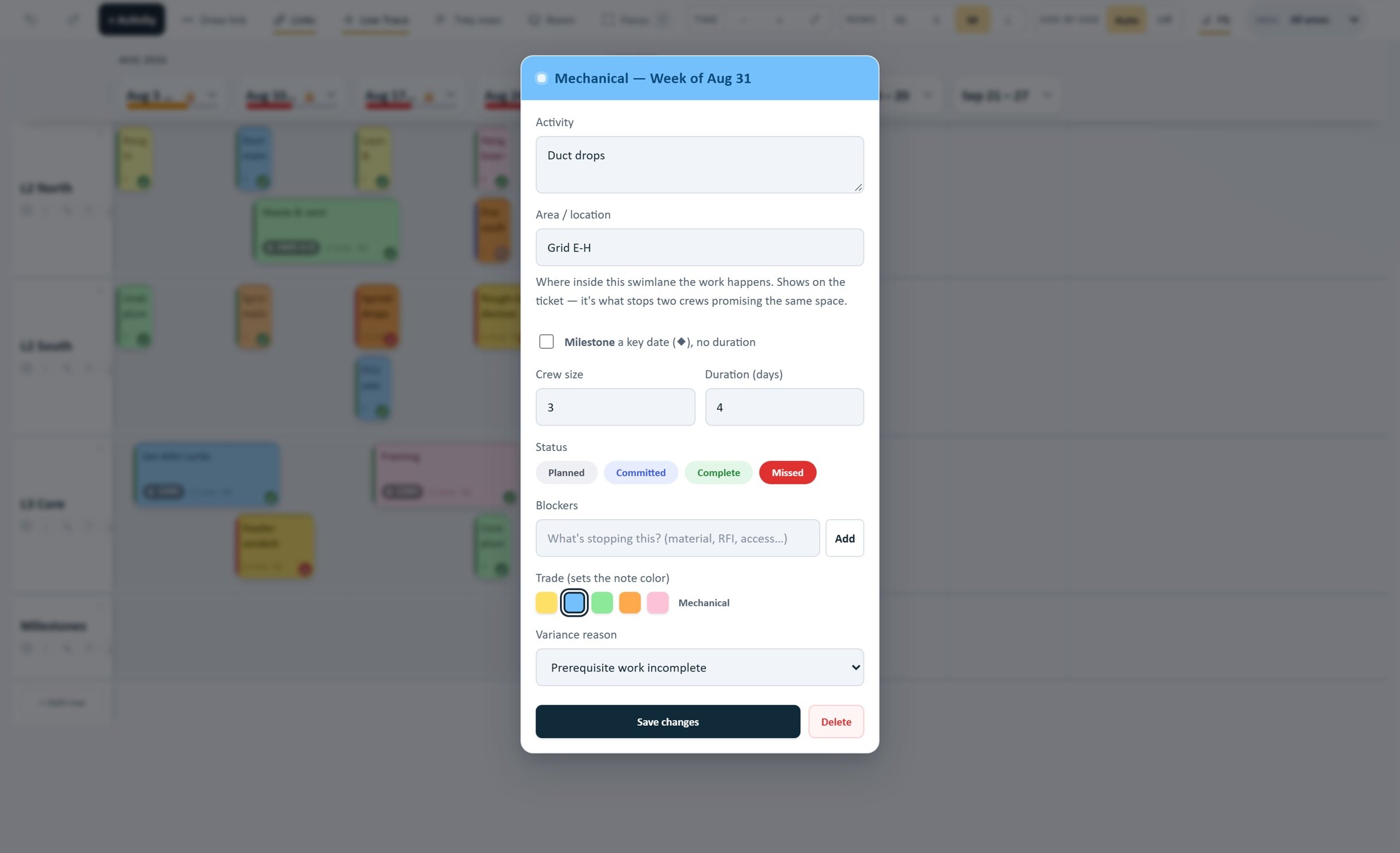
A commitment is a promise to finish. Mark work done, or missed with a reason. PPC is calculated from a commitment history, by week and by trade.
- Record a variance reason for missed work.
- A late completion does not change a closed week’s PPC.
- Reliability by trade, with each closed week keeping its result.
Illustrative demo project data.
An automatic record of every change
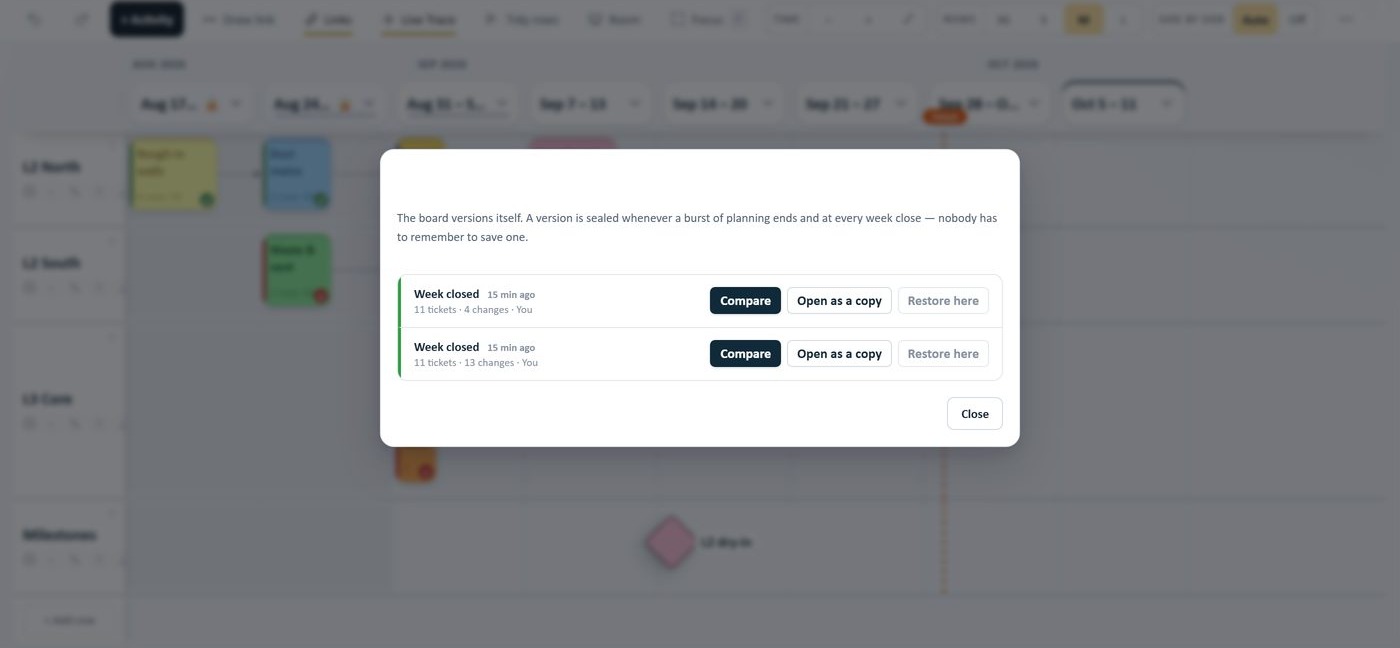
The board versions itself — who moved what, and when — with no save button to remember. The record behind every closed week’s numbers.
- A timestamped history of changes to the board.
- Review an earlier version, compare what changed, or open a previous version as a separate copy.
Illustrative demo project data.
More in every plan
Supporting tools that matter on a real job — included, not upsold.
Milestones
Key dates as diamonds with no duration, in the plan and on export.
Bulk edits
Select many activities and set trade, crew or duration at once.
Search & filter
Find activities and focus the board by trade, area or status.
Live Trace
Follow a dependency chain through the plan to see what drives what.
Roles & access
Admin, Planner and Viewer, with trade-scoped editing on the board.
Plan together
Planners work on one shared board. If two people change the same thing, the second is told rather than silently overwritten.
Wall printing
Plot to size with a P6-style title block, legend and page setup.
File exchange
Primavera P6 XML, Microsoft Project XML and Excel — import and export.
See it on your own schedule
Bring in a Primavera P6, Microsoft Project or Excel file and plan with your team. Exchange is by file, not a live connection. A P6 XML export uses your board calendar, so align calendars before comparing dates with the original schedule.